
Why screenshot search is different
Screenshots often contain receipts, addresses, product names, conversations, event details, or instructions. The useful information is embedded in pixels—not in a useful filename or album title.
Search what you remember
Siftory recognizes visible text and combines it with category and tag information. You can enter a product name, a few words from a message, a location, or another detail. Search results link back to the original screenshot while it remains accessible in Photos.
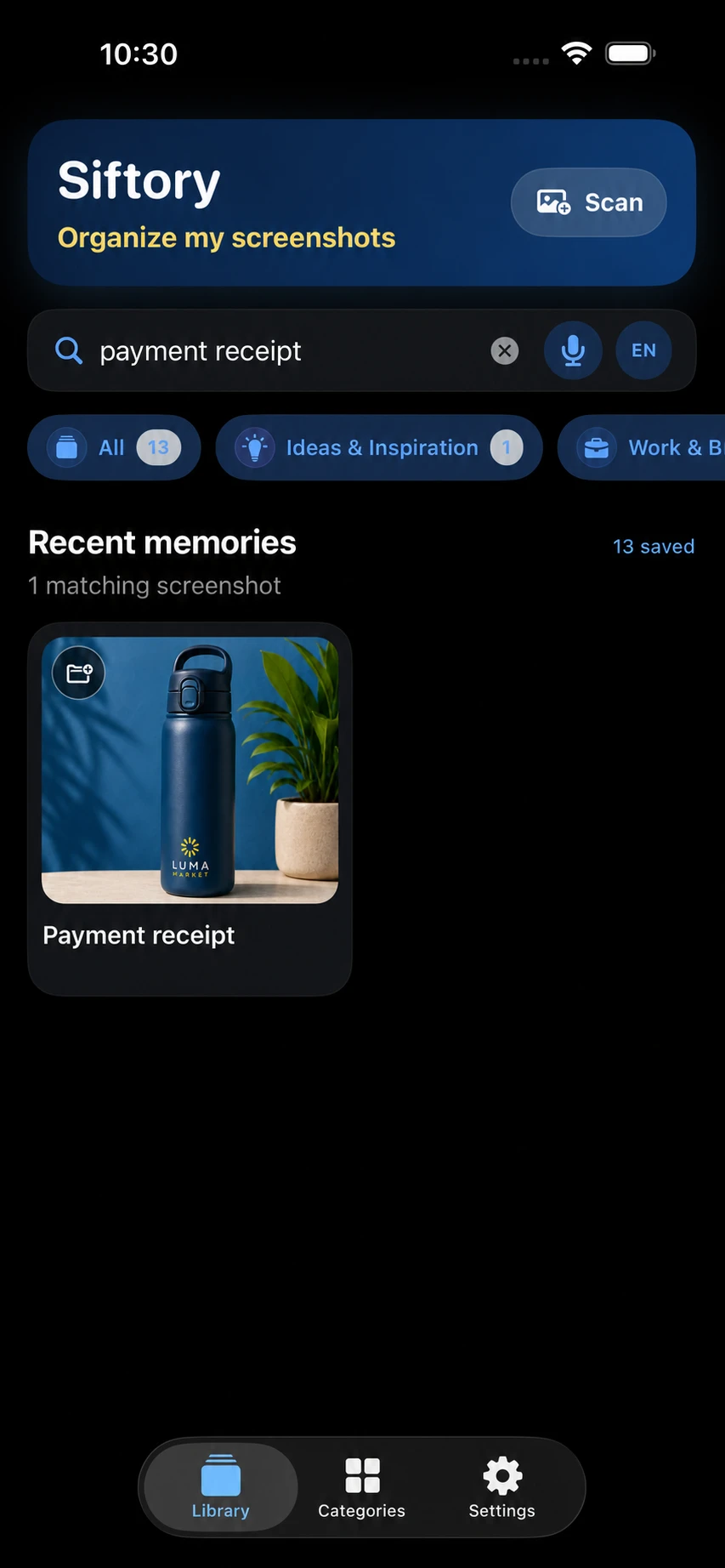
Text recognition is useful, not infallible
Small type, stylized fonts, mixed languages, low contrast, and cropped words can reduce OCR accuracy. Search should therefore combine exact words with categories and context, and it should make clear why a result matched.
Private by current design
The searchable index remains in Siftory’s local app storage. Core OCR, search, and categorization run on the device, and you can clear the local index from Settings.
In supported builds, Premium users can separately opt in to Optional Enhanced AI for eligible Unsorted items. That feature sends only a redacted OCR excerpt, language hints, and allowed category names through Siftory’s service; screenshot images are not sent. Redaction reduces exposure but does not guarantee anonymity.
Voice search and languages
Siftory supports text and voice search where Apple’s on-device speech recognition is available for the selected language. If that capability is unavailable on a particular iPhone or language, the app should say so rather than silently sending audio elsewhere.